All workCase study 02 / 17

Chrometooth

AI threat detection you can actually check. A home network security concept with a working dashboard.

Product design · Front end · AI
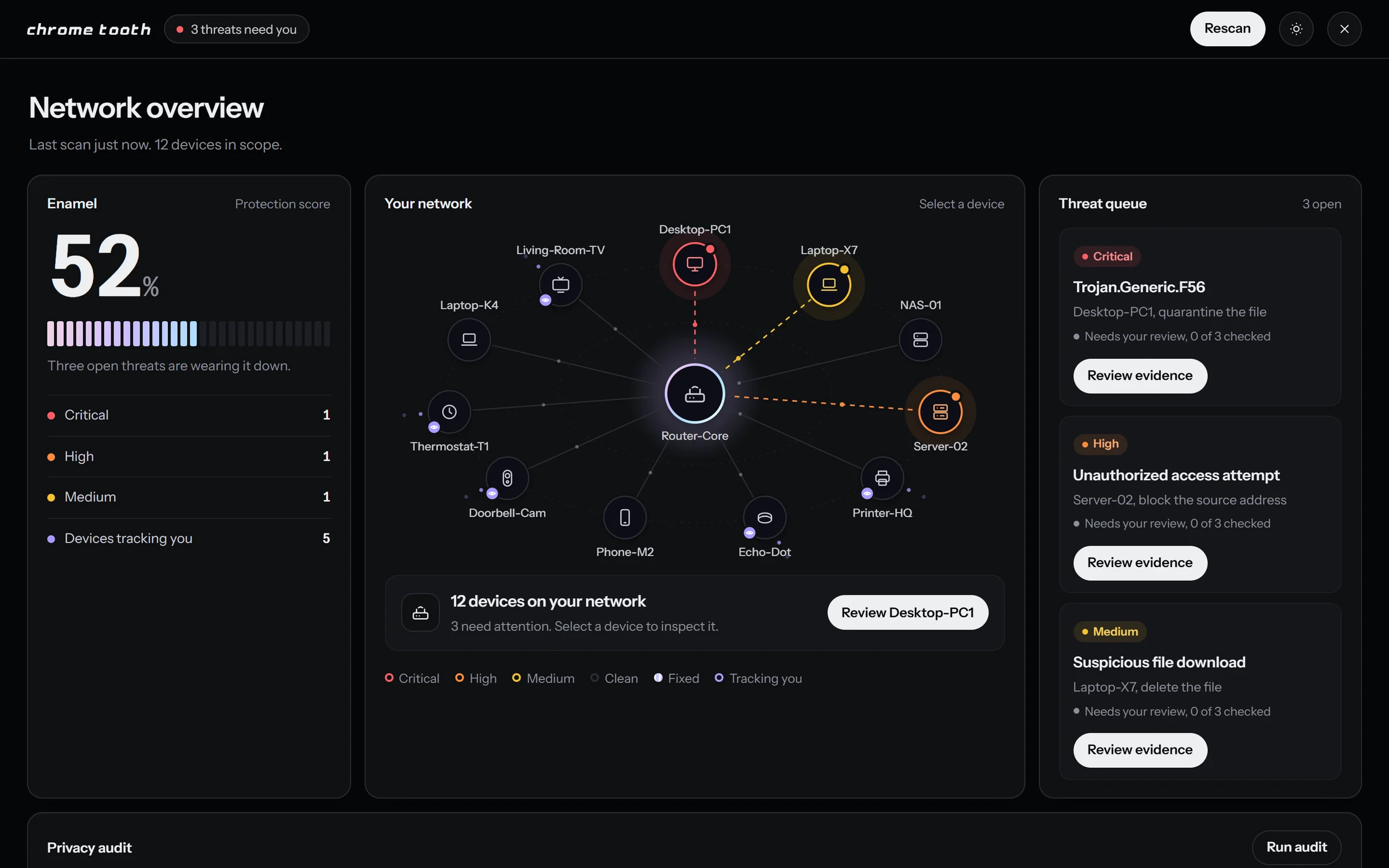
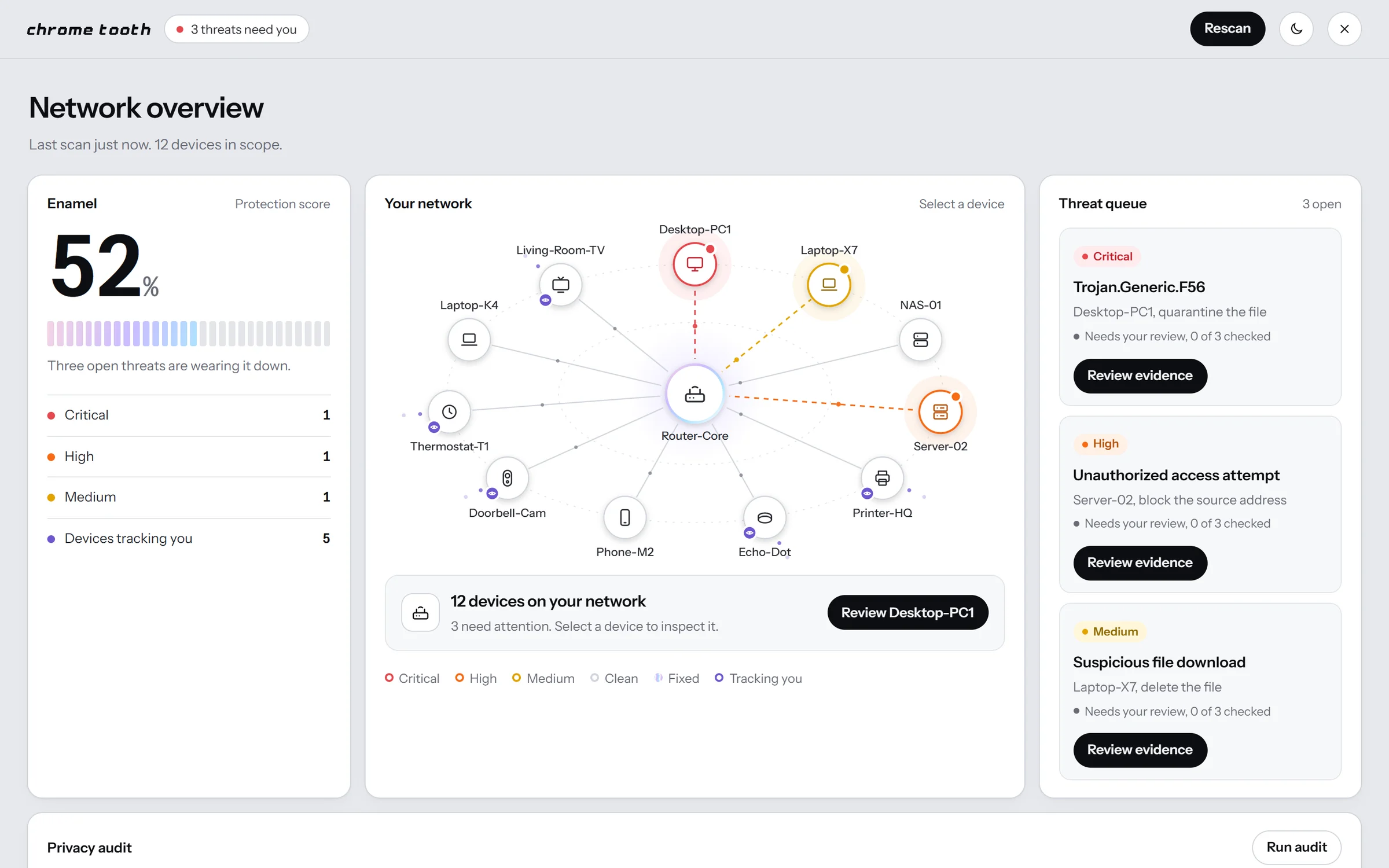
The Chrometooth dashboard in dark mode, with an Enamel protection score of 52%, a network map of 12 devices orbiting the router with three threats glowing red, orange and yellow, and a threat queue.

The live site, running in the frame. Click around · Open it in a new tab ↗

About the project

A home and small-team security concept. An AI watches every device on your network, explains what it found in plain language, shows the exact evidence behind each flag, and only fixes things once you've reviewed them.

The prototype is a marketing site and a working dashboard in one self-contained page, with no framework and no build step. It covers light and dark modes, phones down to 375px, the keyboard and reduced motion.

What was interesting

  1. 01

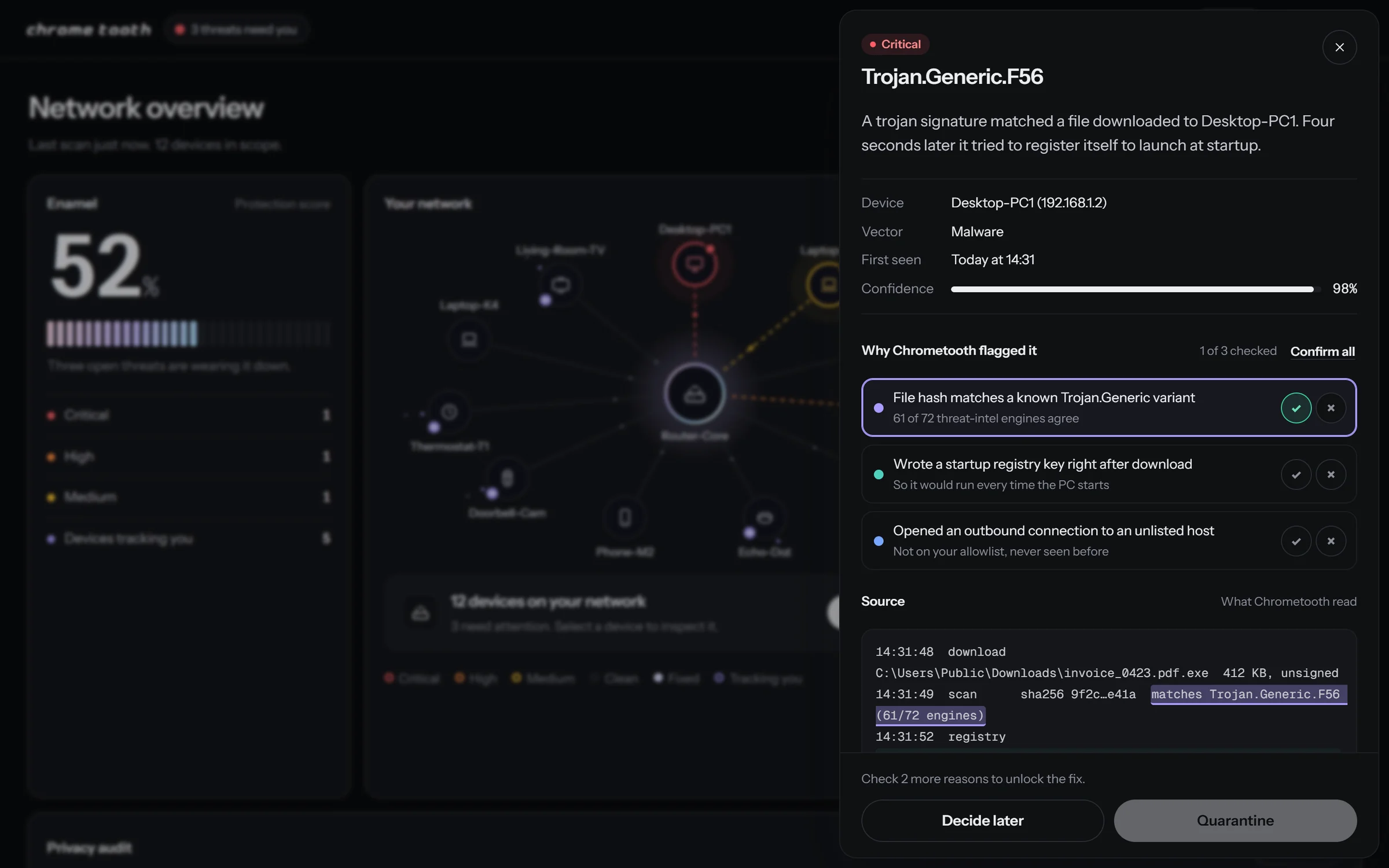
    Evidence you can check. Every reason the AI gives links both ways to the exact log lines behind it, and fixes stay locked until each one is confirmed or disputed.

  2. 02

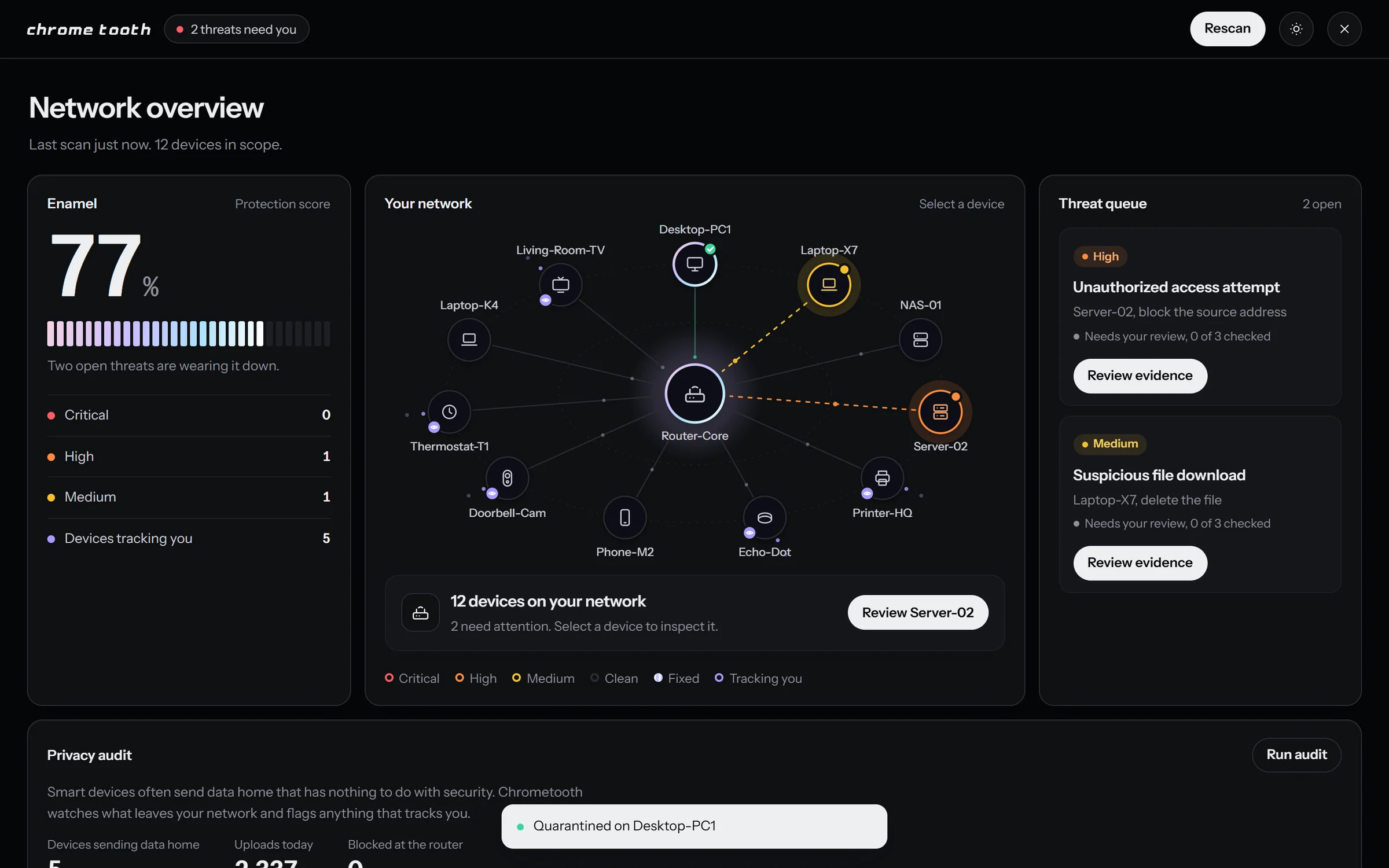
    One signature interaction. Fixing a threat takes a bite out of its card and the Enamel score climbs. Everything else stays quiet.

  3. 03

    Color carries meaning. Red, orange and yellow are severity, violet is privacy tracking, chrome means fixed.

Interactive

02 live demos
01 · Evidence you can checkChrometooth
Loading demo

Pick a reason to find its log line, or a highlighted line to find its reason. Confirm or dispute each one; the fix stays locked until all three are checked.

02 · The biteChrometooth
Loading demo

Fix a threat and it takes a bite out of its card while the Enamel score climbs. Here the review step is skipped.

06 images
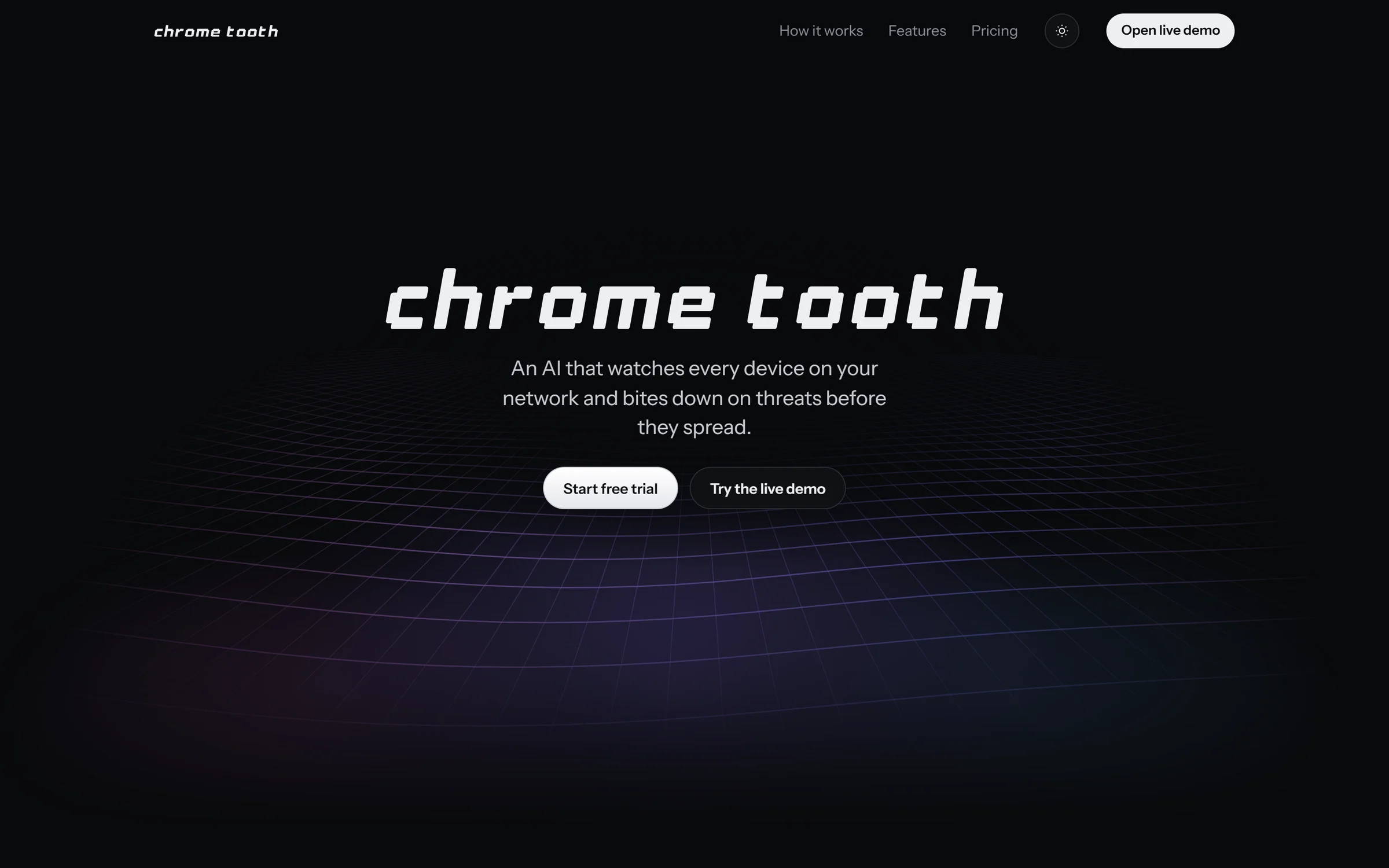
The Chrometooth landing page in dark mode, the chrome tooth pixel wordmark over a violet wave grid, with Start free trial and Try the live demo buttons.
The landing page. The marketing site and the working dashboard are one page.
A threat drawer for Trojan.Generic.F56 over the blurred dashboard, with three reasons the AI flagged it, the first confirmed and highlighted, and the matching log line highlighted in the source below.
The review gate. Each reason links to the log line behind it, and Quarantine unlocks once all three are checked.
The dashboard after the trojan was quarantined, Enamel up to 77%, Desktop-PC1 marked Fixed in chrome, and a "Quarantined on Desktop-PC1" toast.
After the fix. Enamel climbs and the device turns chrome.
The same dashboard in light mode, on pale grey panels.
Light mode.
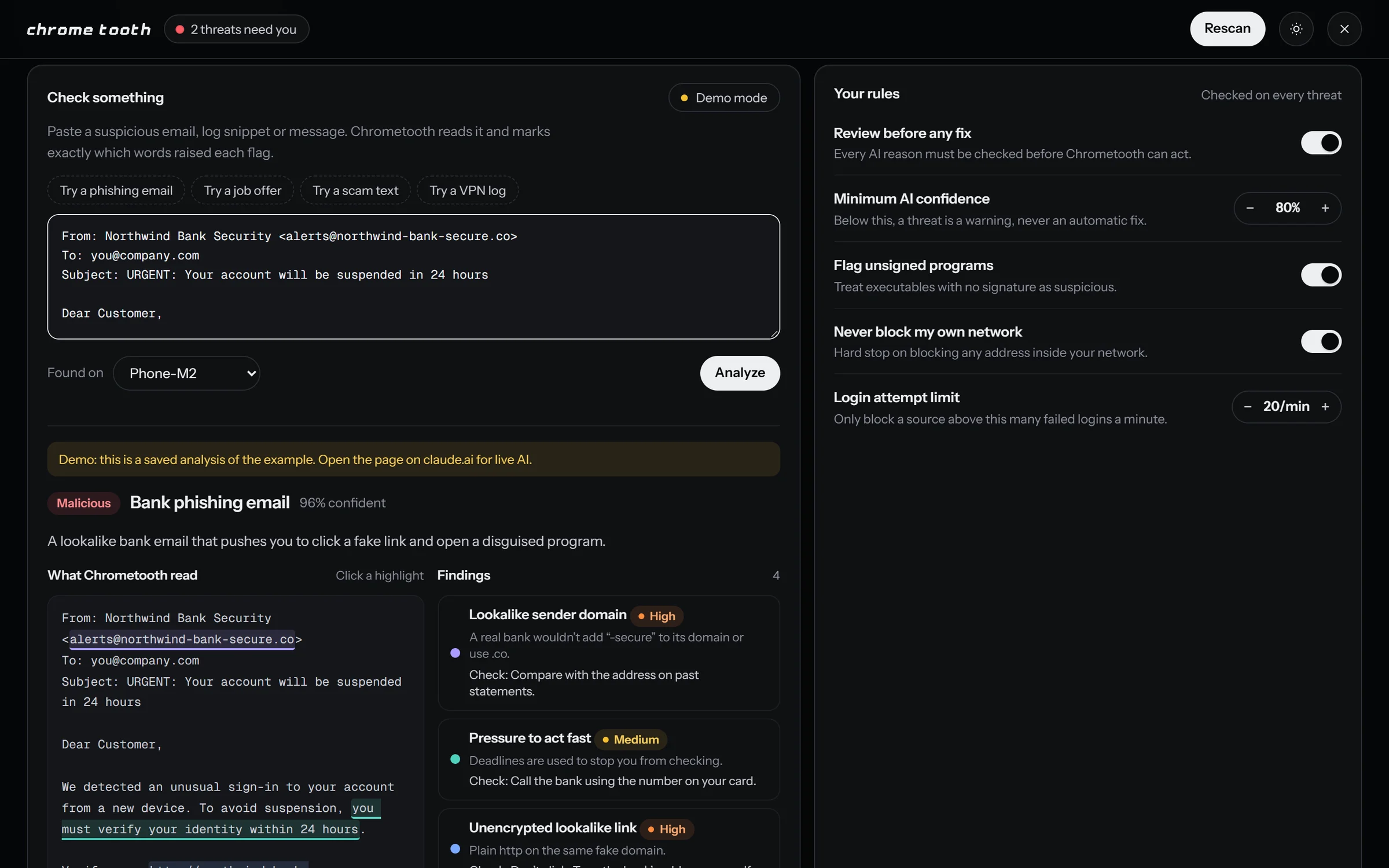
The Check something panel in Demo mode, a phishing email rated malicious with 96% confidence, its suspicious phrases underlined in the source and four findings listed beside it, next to Your rules with toggles and limits.
Check something. Paste an email, text, job offer or log, and see which words raised each flag. Your rules sit beside it.
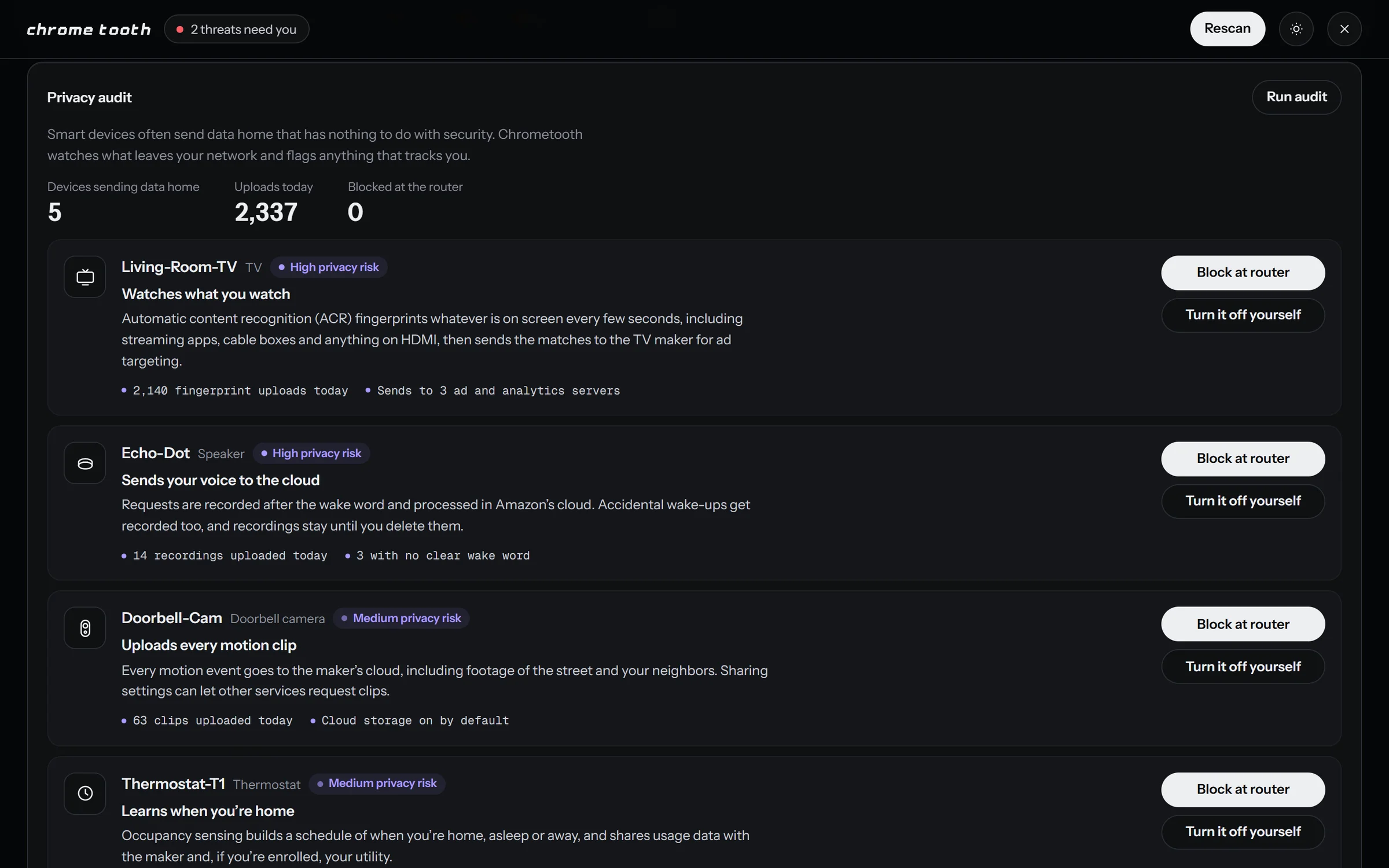
The privacy audit, five devices sending data home, with a smart TV, a voice speaker, a doorbell camera and a thermostat each explained, plus Block at router and Turn it off yourself buttons.
Privacy audit. Smart devices that send data home, with what each one sends and how to stop it.